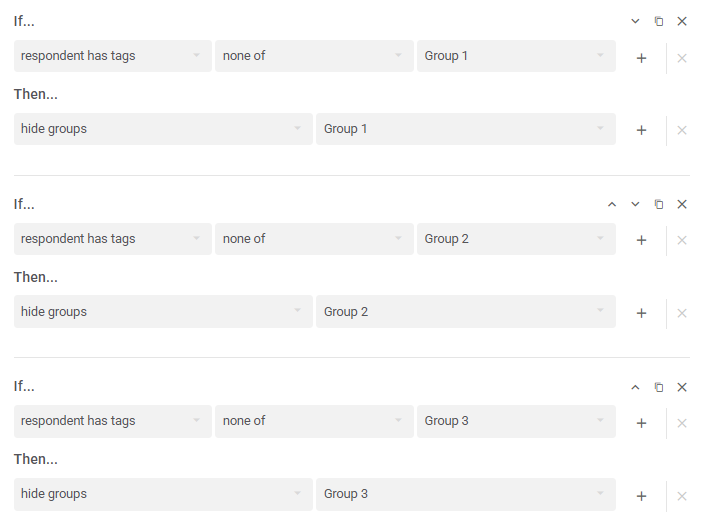
Hide groups.
Groups of Questions can be hidden in your Action Logic.
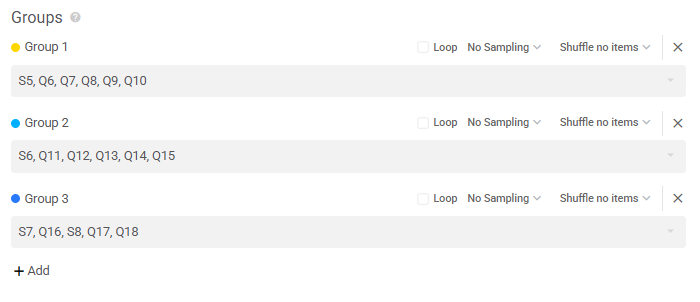
Imagine you had 3 groups of questions in your survey settings:
To hide question groups:
- Go to your Logic Editor (branching arrows icon) at a question or section before the groups you want to hide.
- Click Add Action Logic
- In the If... dropdown, input your condition, e.g. if respondent doesn't have tags for Group 1
- In the Then... dropdown, select hide groups and pick the group you want to hide, e.g. Group 1
Duplicate and adjust the logic as needed.