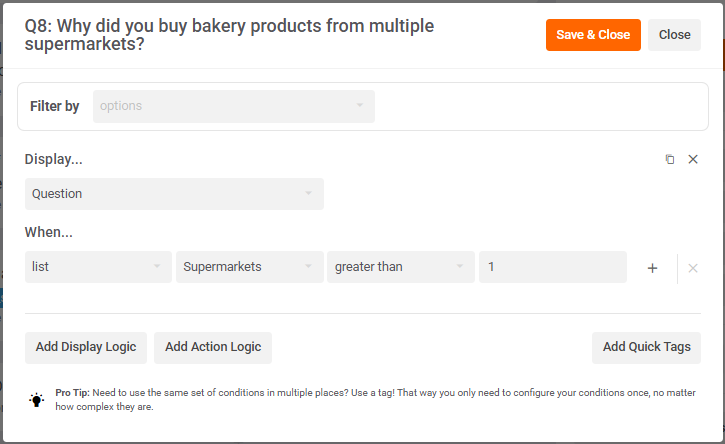
Add to List.
A list of items, e.g.
Supermarkets:
- IGA
- Woolworths
- Coles
- Aldi
- Costco
- FoodWorks
...can be injected into your questions and options.
Logic can be used to determine which items are shown in that list.
Simple Example
At Q5, the respondent selects 3 out of 6 supermarkets

At Q6, the 3 selected supermarkets from Q5 are shown as dot points in a list under the question.

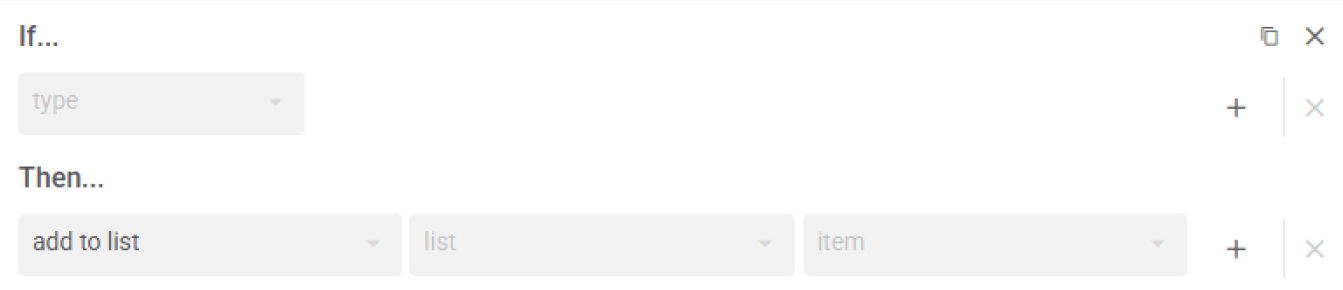
Q5 Logic Editor
To do this:
- Go to the logic editor at Q5
- Click Add Action Logic
- In the 'If...' dropdown, input your condition, e.g. if selected IGA
- In the 'Then...' dropdown, pick 'add to list'
- In the 'list' dropdown, type in "Supermarkets" in the 'Custom' field and press 'enter'
- In the 'item' dropdown, type in "IGA" in the 'Custom' field and press 'enter'
- Duplicate logic and change steps 3 and 6 for each supermarket.
Q6 Question Editor
Then...
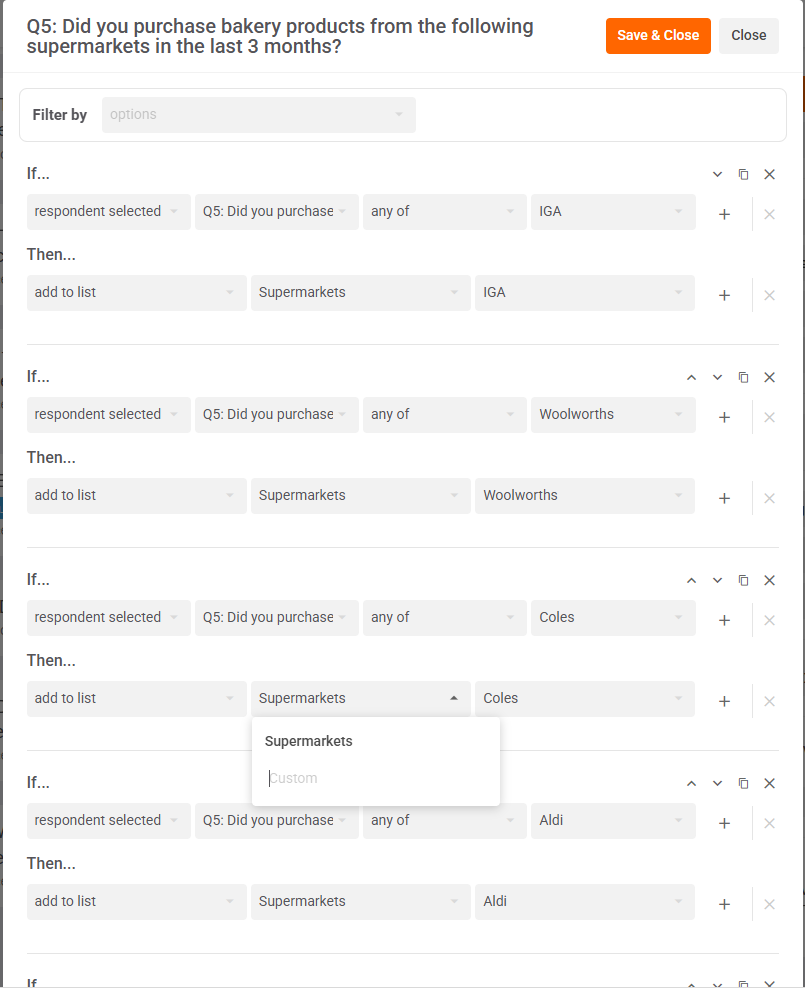
- Open the question editor at Q6
- Input {{ list_Supermarkets }} into the description field
- Click Save & Close
Great job! 🎉
You've just added a list to your logic at Q9 and injected that list into your question at Q10, with only items selected at Q9 appearing in the list at Q10.
Note: lists can be injected using {{ list_name }} not just in the description field but also in the question and option (i.e. choice or statement) fields. However, in the description field, it gets display vertically in dot points, e.g.
- IGA
- Coles
- Foodworks
But in questions and options, it gets displayed horizontally, e.g. - IGA - Coles - Foodworks
Advanced Example
If.../When... list
Above is the simplest use case for a list, i.e. simply injecting the list into your question.
But a list also allows you to do more advanced logic if you use the list in your If.../When... condition:
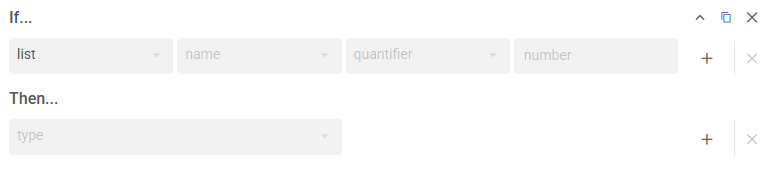
There are 2 ways you can use a list in your If.../When... logic condition.
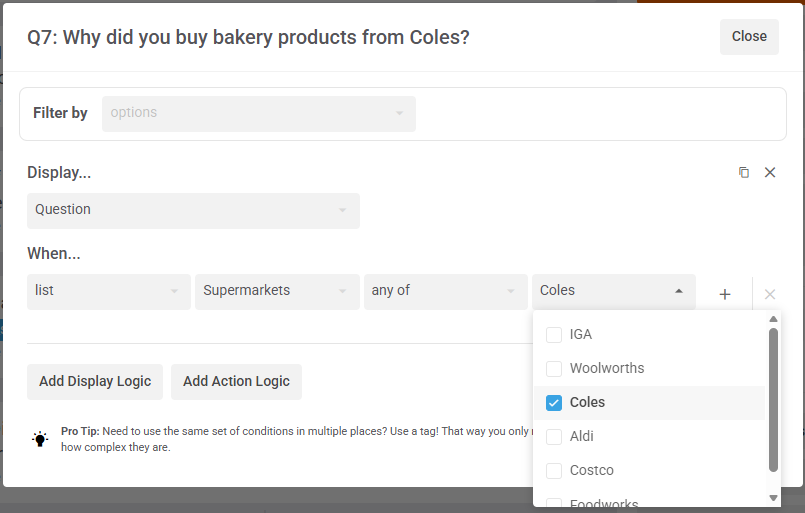
1: Like a list of tags
If you use 'any of', 'all of', or 'none of' as your quantifier, then the items in your list can be treated the same as tags. E.g. Display... Q7; When... list > Supermarkets > any of > Coles
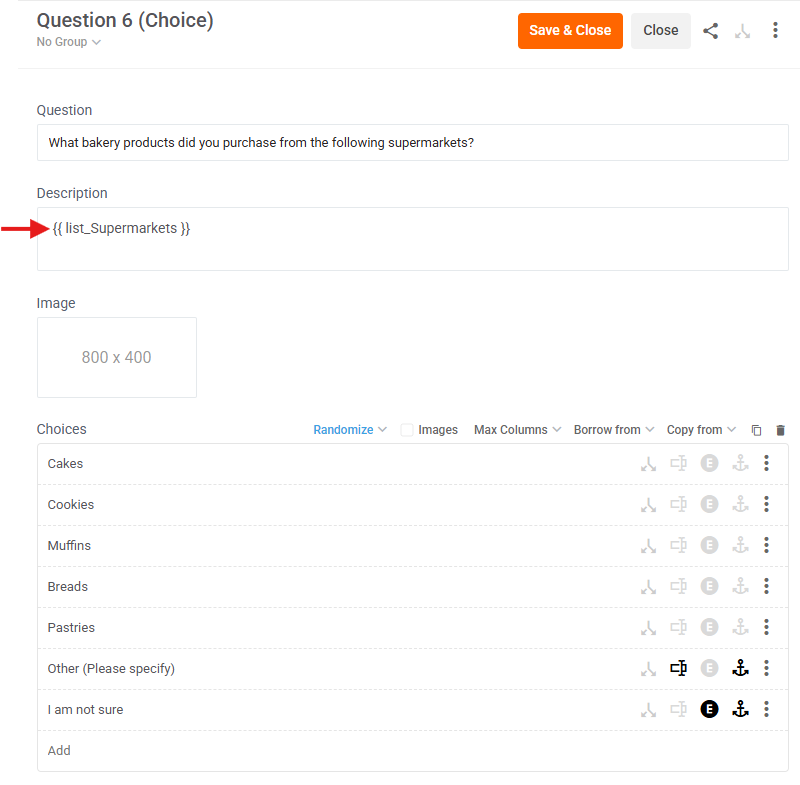
2: For the item count
If you use 'less than', 'greater than', or 'equal to', then the number of items in each respondent's list can be used as your logic condition. E.g. in example above, respondent who selects IGA, Coles, and Foodworks will have 3 items in their list while someone who selects only Woolworths will have 1 item in their list. So, in the logic below, Q8 will only be displayed if a respondent has more than 1 item added to their list.