Scale Question.
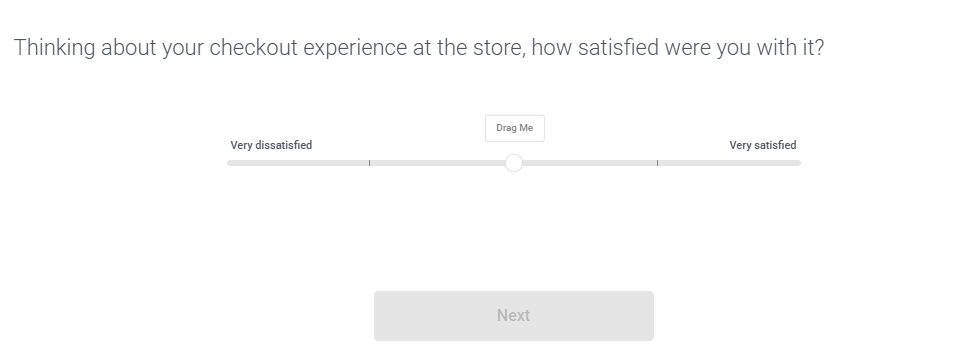
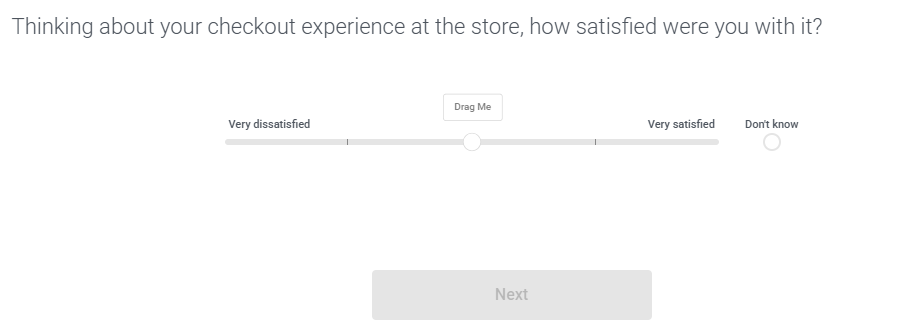
The Scale question type allows respondents to select one from a range of choices, but instead of choices appearing in a list, they appear on a horizontal slider scale. It's the 5th most used question type.
Scale Editor
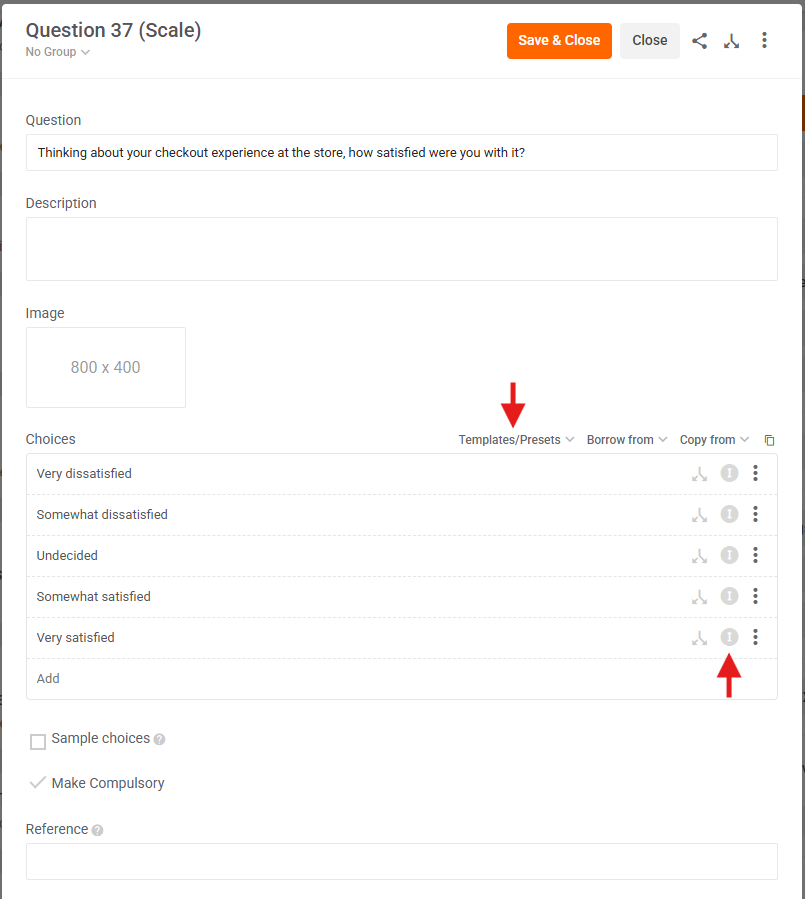
The Scale Editor is identical to the Choice Editor except for 2 key differences.
- Templates / Presets - click this to pick from popular 5- and 7-point scales, e.g.
- Strongly disagree to Strongly agree (7 Points)
- Strongly disagree to Strongly agree (5 Points)
- Very poor to Excellent (7 Points)
- Very poor to Excellent (5 Points)
- etc.
- Independent Choices - click the 'I' button next to a choice to make it independent so it sits outside of the scale, perfect for "n/a" or "don't know" choices.
Scale Preview
Without an Independent Choice
With an Independent Choice
Scale Analysis
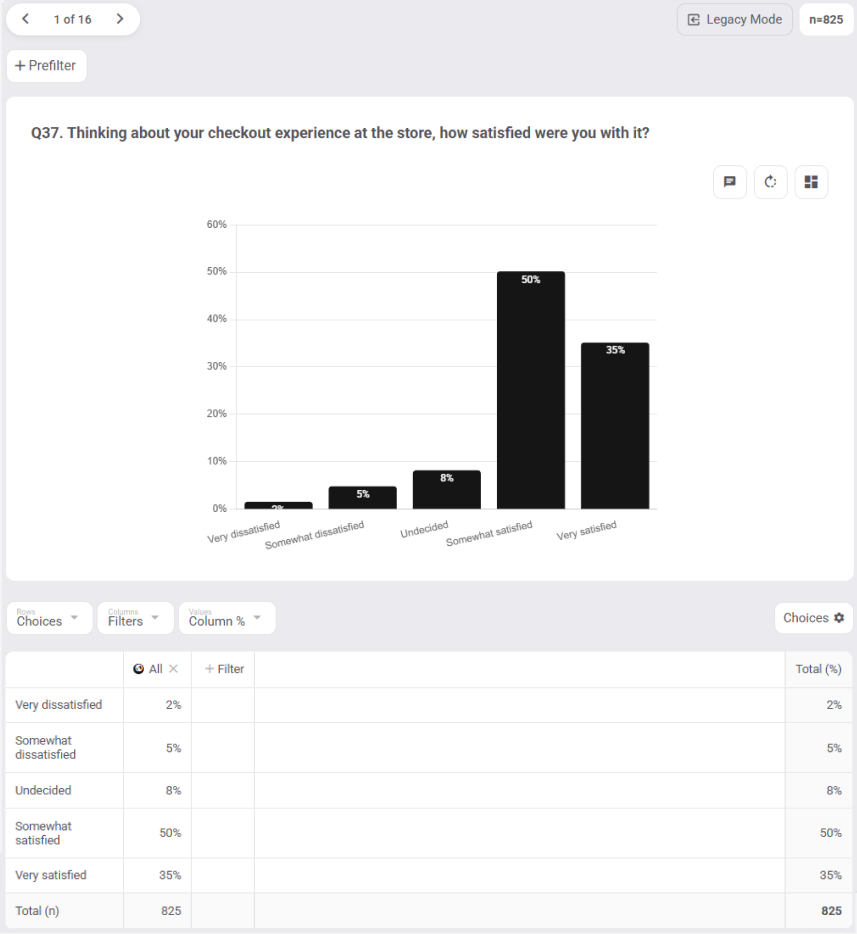
Scale Questions are analysed exactly the same as Choice Questions.
1: Default analysis
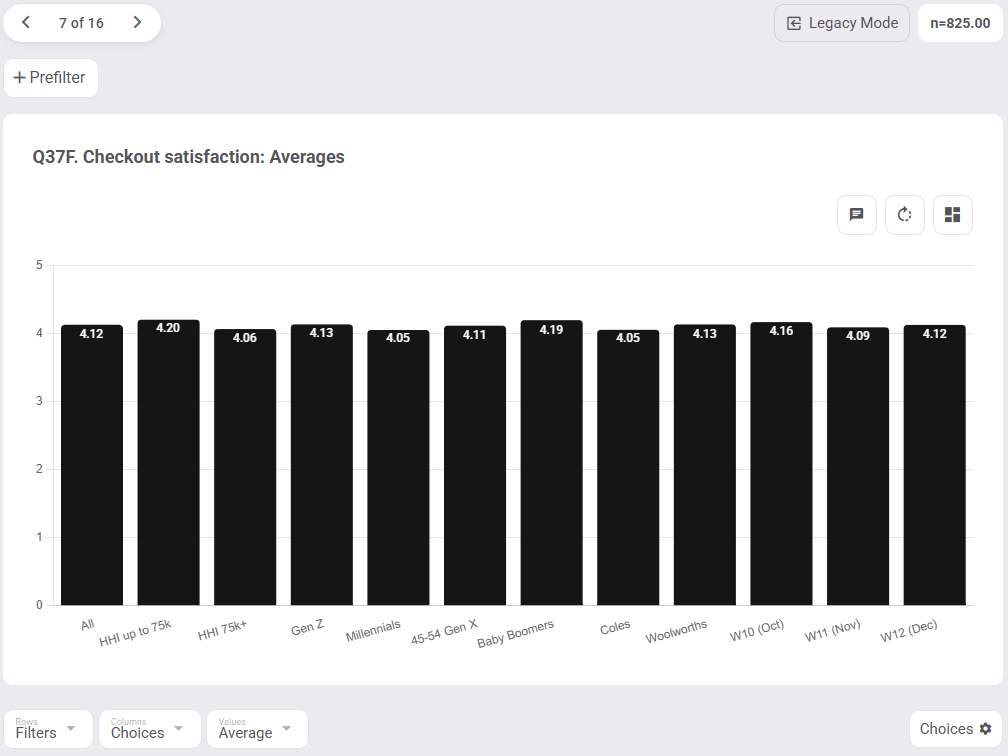
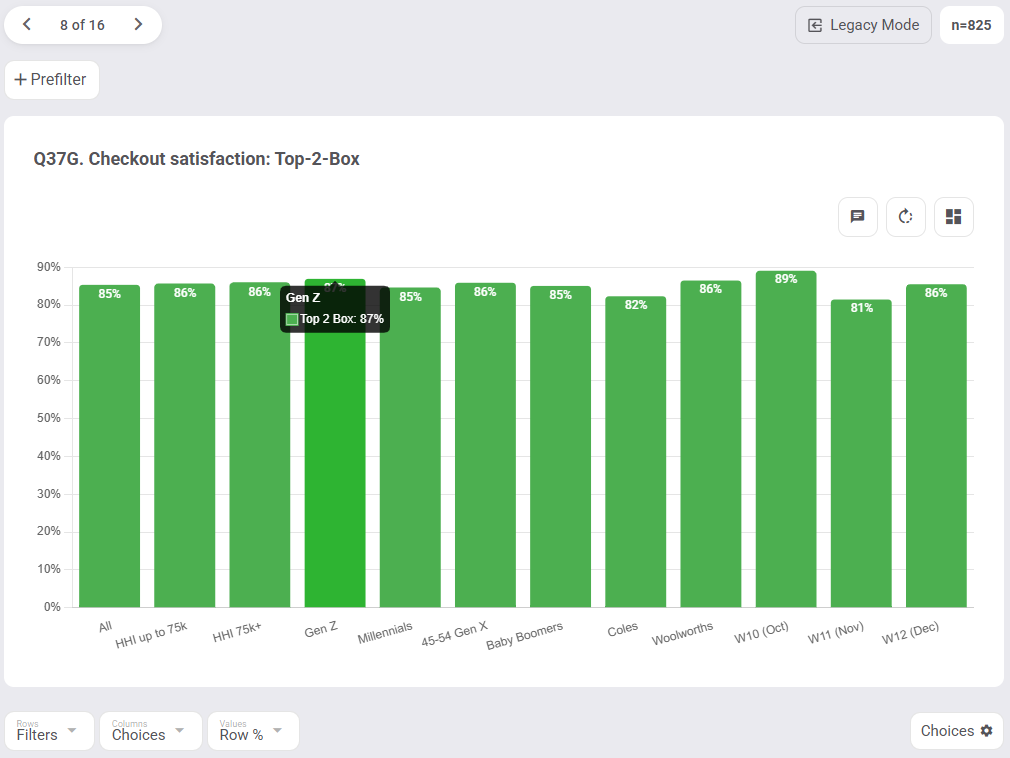
2: Crosstab analysis
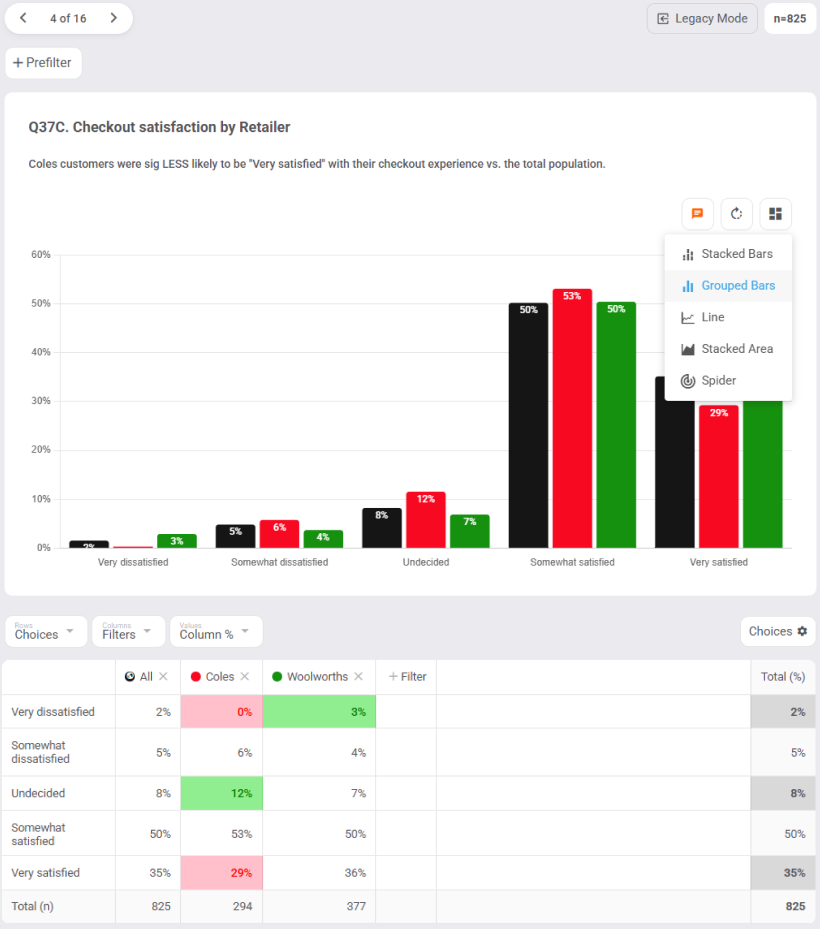
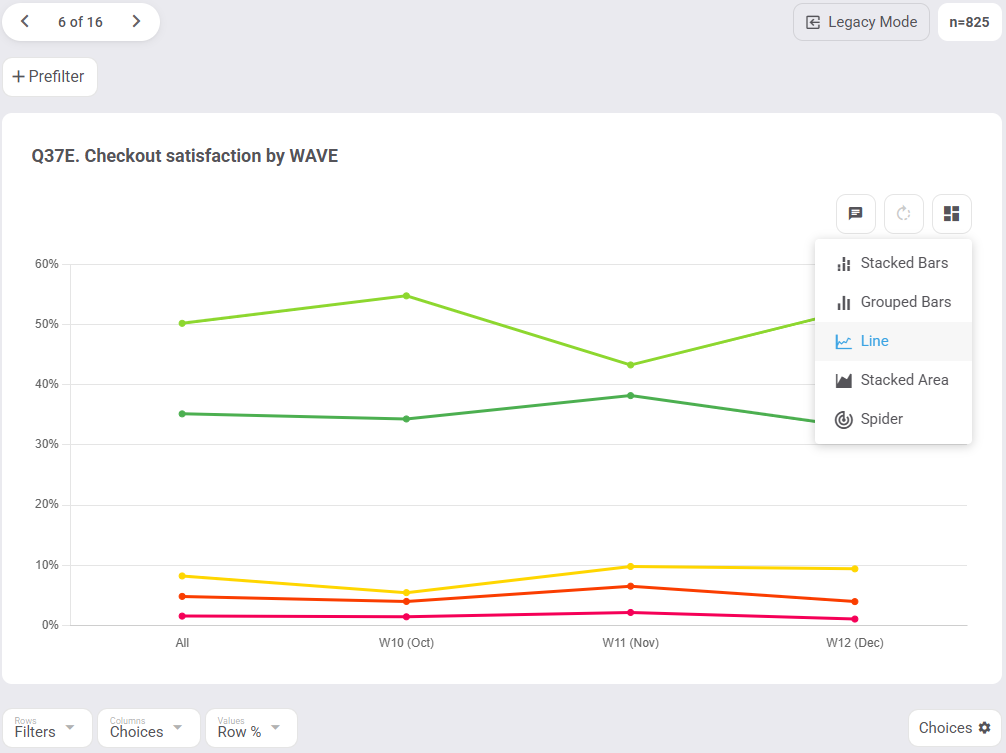
3: Different Chart Types