
Rank Question.
The Rank question type allows respondents to select choices in order of preference by assigning a rank (1, 2, 3...) next to each choice when they click it.
Rank is the 4th most used question type (after Choice, Matrix, and Text).
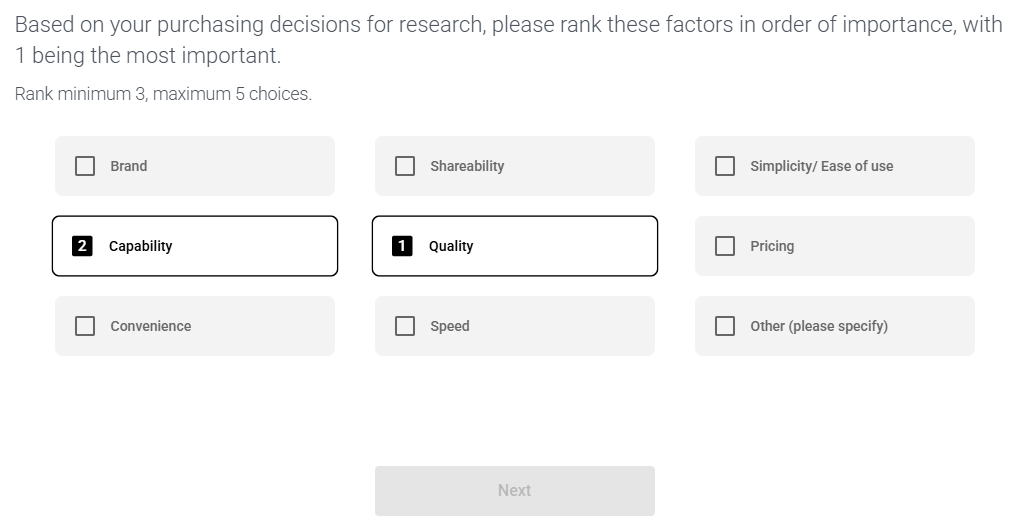
To create a rank question:
- Go to the Build tab
- Click +Add Question/Section and choose 'Rank'
- Enter the question and choices to rank and click 'Save & Close'.
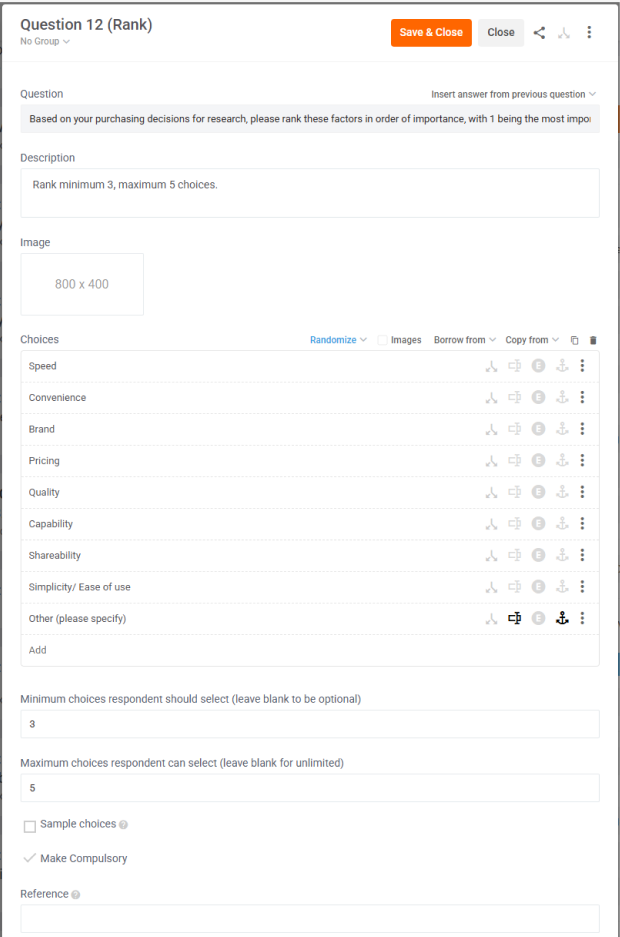
Rank Editor
The Rank Editor is identical to the Choice Editor except there is an extra field called 'Minimum choices respondents should select' so you can force respondents to rank a minimum number of choices, e.g. 3.
Rank Preview
Here is how your Rank question is presented to respondents in the survey view.
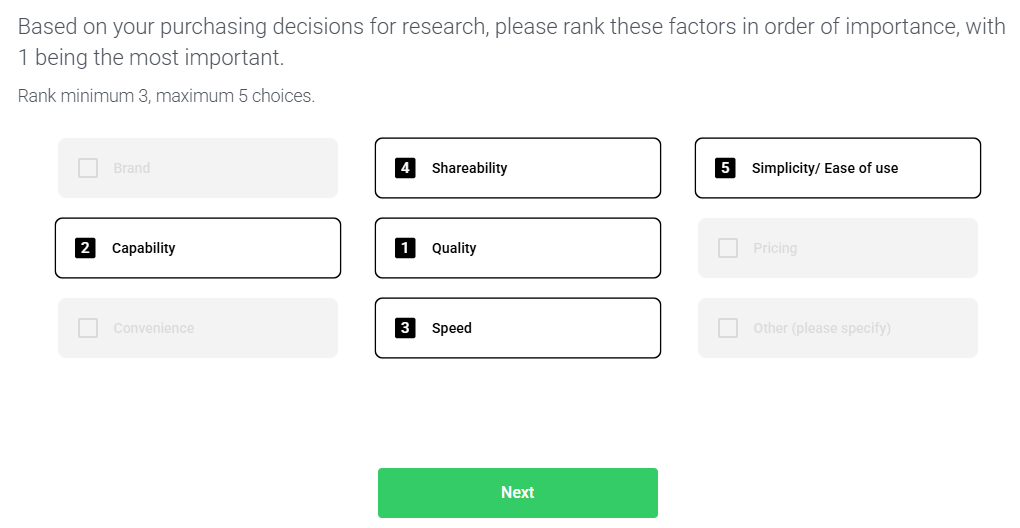
Because we set a maximum of 5 choices respondents can select, if a respondent ranks 5 choices, then every other Choice will be greyed out (not selectable) so respondents can't rank more than 5 choices.
Because we set a minimum of 3 choices respondents should select, if respondents rank less than 3 choices, the Next button will be greyed out (not selectable) so respondents can't proceed to the next question until they rank at least 3 choices.
If respondents deselect a choice, it will remove the rank from that choice and automatically up-rank the lower ranked choice. E.g. in our example above:
- if Speed: rank 3 is deselected,
- then Shareability: rank 4 will change to rank 3
- and Simplicity/ Easy of use: rank 5 will change to rank 4.
Rank Analysis
1: Rank Default
- Chart: Choices in Axis Labels, Ranks in Bars & Legend.
- Table: Choices in Rows, Ranks in Columns.
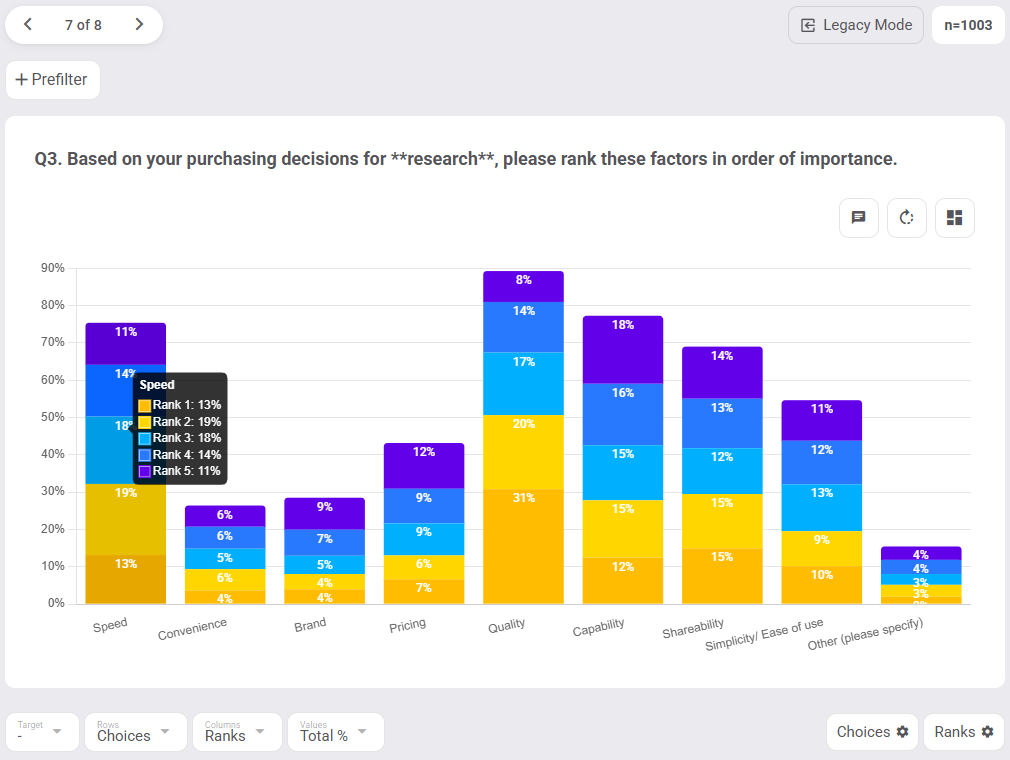
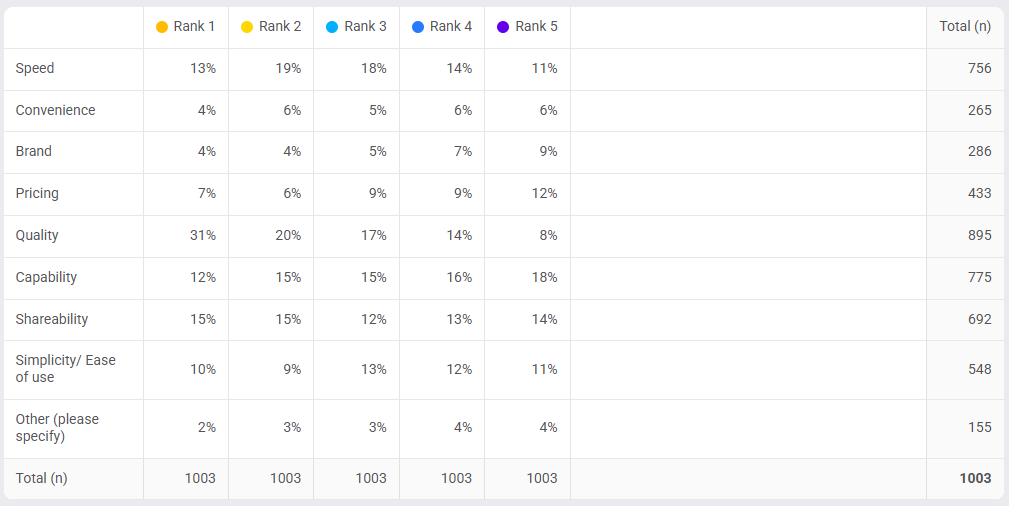
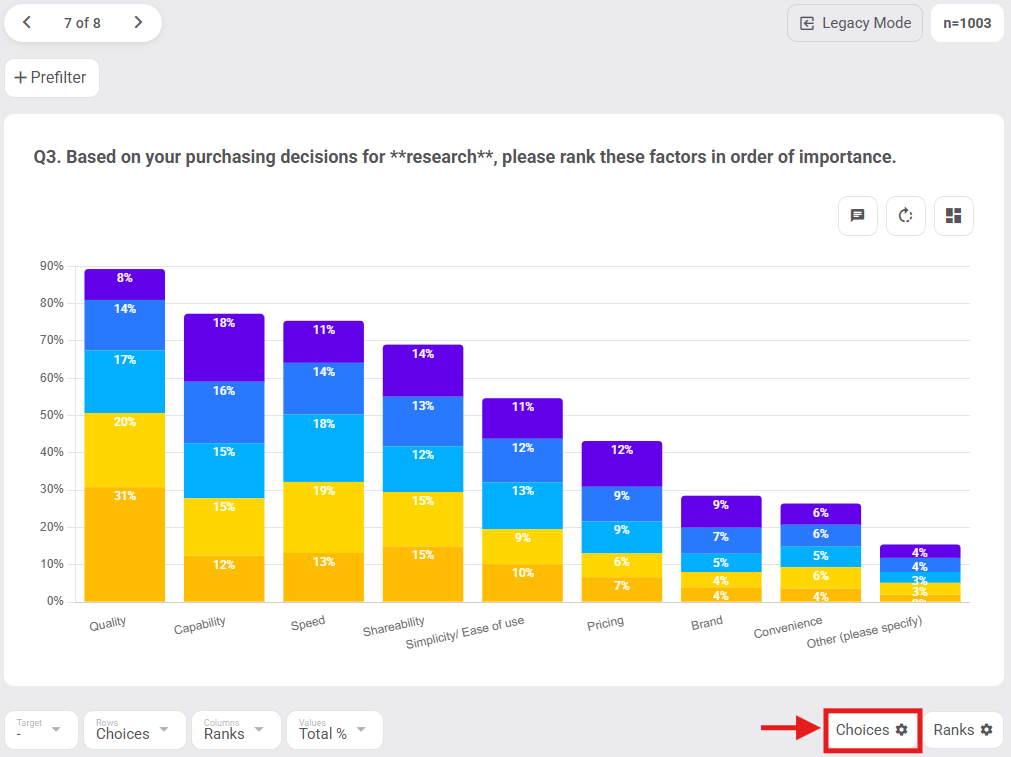
2: Reordered Choices - choices can be reordered, e.g. from highest to lowest within the Choices config menu below your chart to the right.
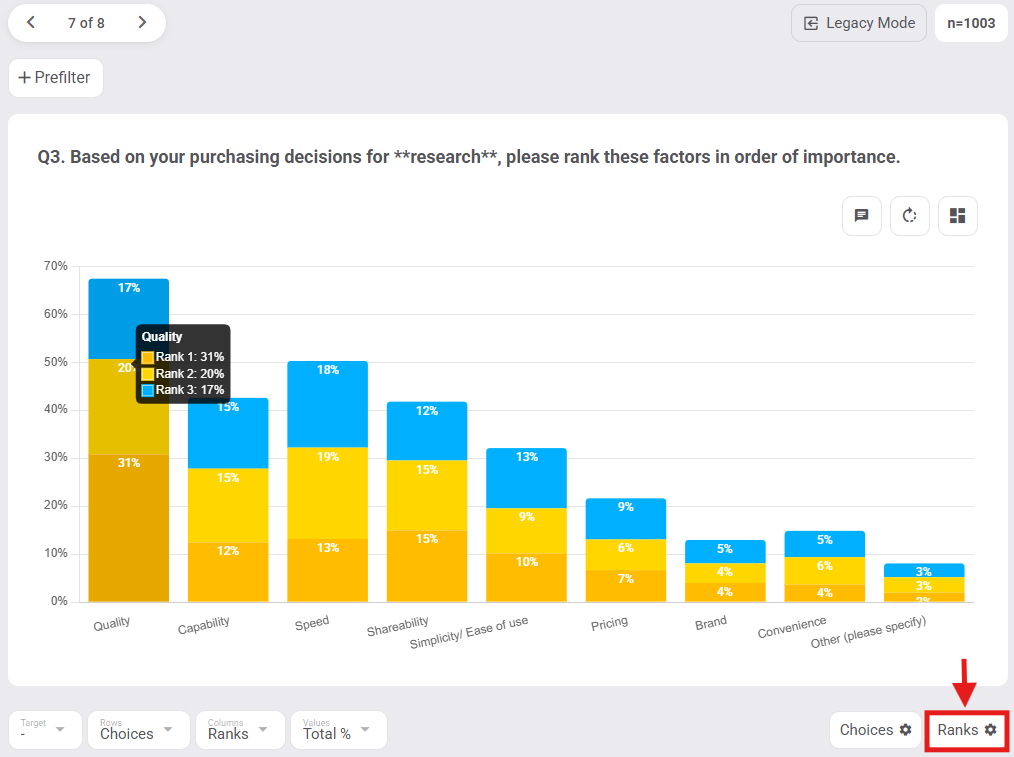
3: Hide Ranks - hiding ranks can be very useful for simplifying your view further, e.g. from top 5 ranks (above) to top 3 ranks (below). This can be done in the Ranks config menu below your chart to the right.
Note: Average rank for each choice is not yet available but is ticketed for later development in Glow's Analysis roadmap.